Papirofy
← Back to Papirofy

How to split a PDF and extract pages
Papirofy Team · · 2 min read

Sometimes you only need to send a few pages of a long document, or to split a scanned PDF into several.
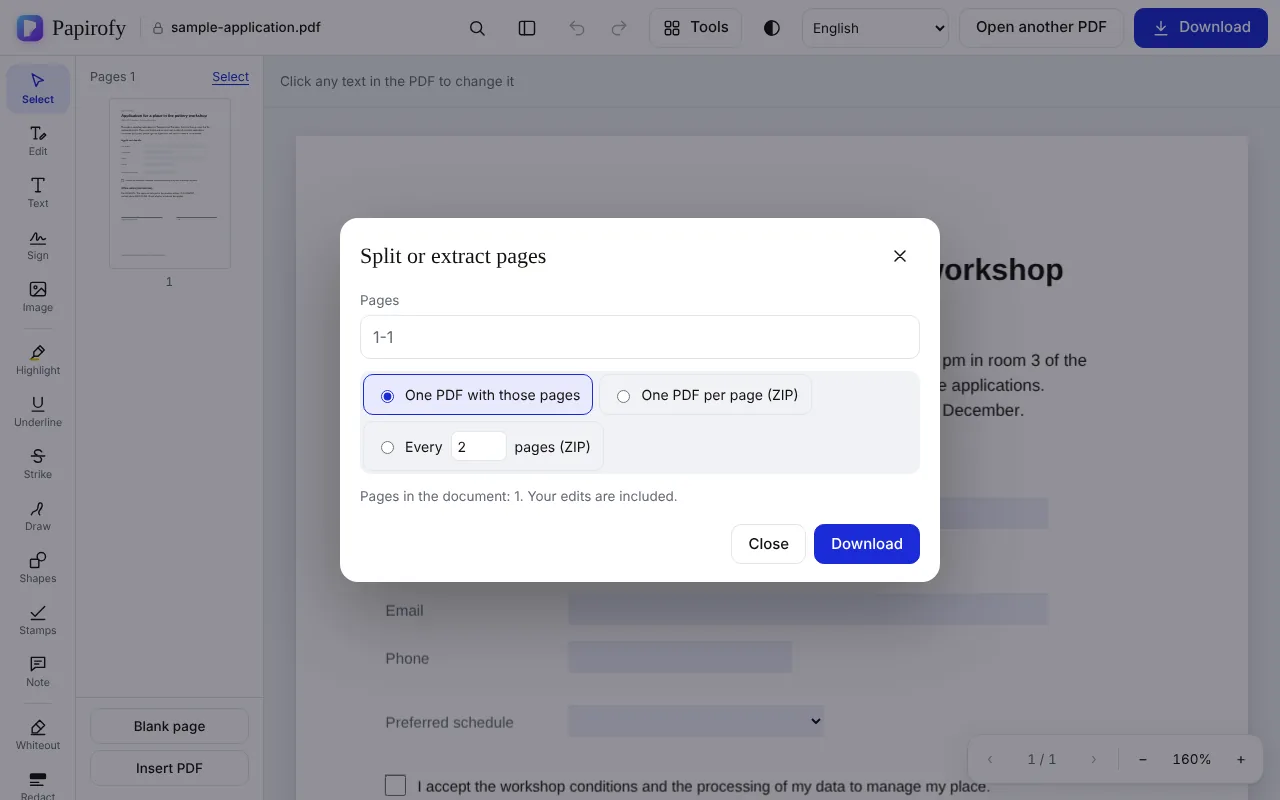
Screenshot of the tool: Split PDF and extract pages

Step by step

  1. Open Split or extract and choose the document.
  2. Type the pages you want, for example 1-3, 5, 8-.
  3. Choose the result: One PDF with those pages, One PDF per page (ZIP) or one every few pages.
  4. Download the result.

Tricks

Keep reading

How to edit a PDF for free (nothing to install)Change the text in a PDF, type on top and add images from your browser, free and without uploading the file anywhere.
How to password protect a PDFEncrypt your PDF with AES-256 and choose whether it can be printed, copied or edited, free and on your own device.
How to unlock a PDF and remove restrictionsRemove a password you know from a PDF, or lift print and copy restrictions, for free.