Papirofy
How to edit a PDF for free (nothing to install)
PDF is designed to look the same everywhere, not to be changed. Still, you can fix a typo, change a number or add a note today without paying for software or installing anything.
Step by step
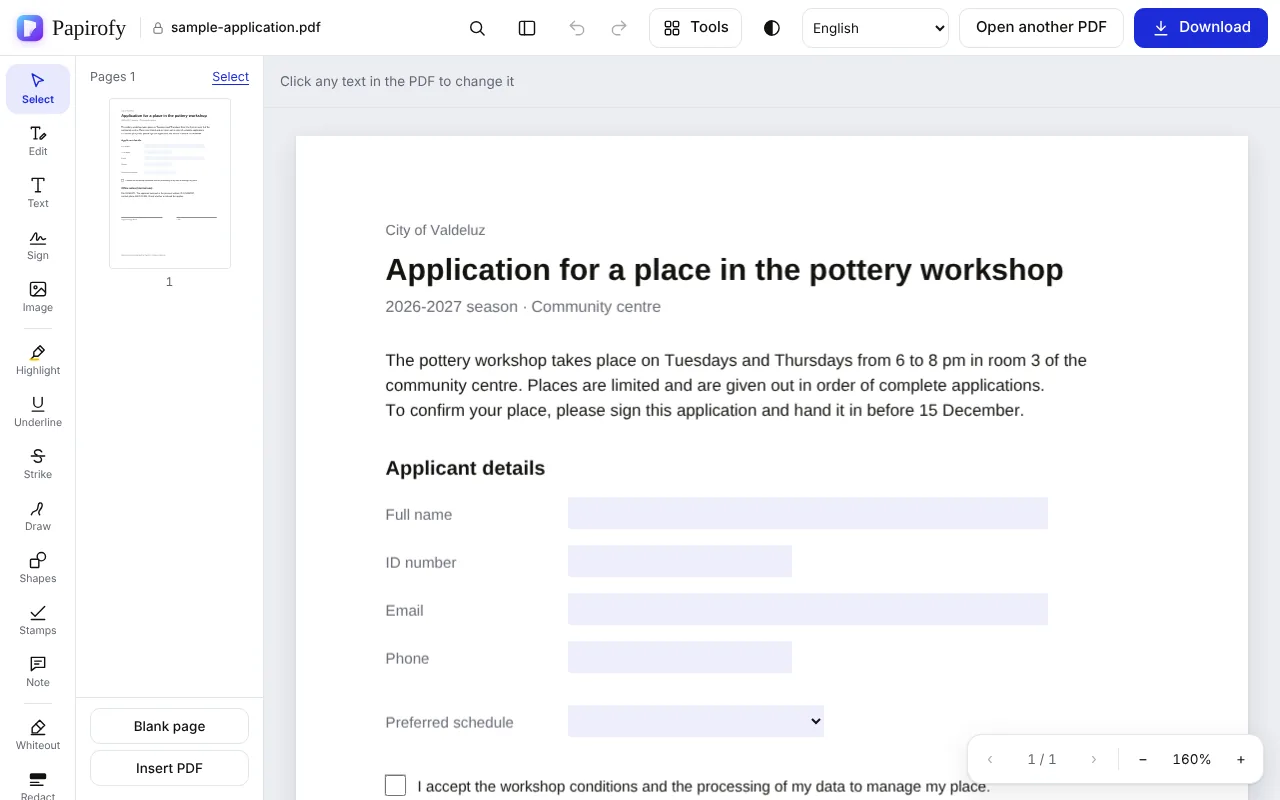
- Open the Papirofy editor and press Choose PDF (or drop the file on the page).
- Pick the Edit tool in the side bar and click any text in the document to change it. Papirofy tries to keep the original font and size.
- To add new text, use Text and click where you want to type. Above the page you can change font, size, color, bold and italic.
- With Image you can place a logo, photo or stamp; drag it and resize it.
- Press Download to save the edited PDF.
Tips
- If the PDF is a scan (a photo of paper), it has no editable text: use Whiteout to cover what you don't need and Text to write on top.
- Tap anything you added to move it, Duplicate it or Delete it.
- Made a mistake? Ctrl+Z undoes the last change.
Is it safe?
The file is opened and processed in your own browser – it is not uploaded to any server. That is why you can edit contracts, payslips or documents with personal data with peace of mind.