Papirofy
How to make a PDF smaller to send by email
Many email services limit attachments to about 20–25 MB, and many online forms accept far less. These are the ways to shrink a PDF.
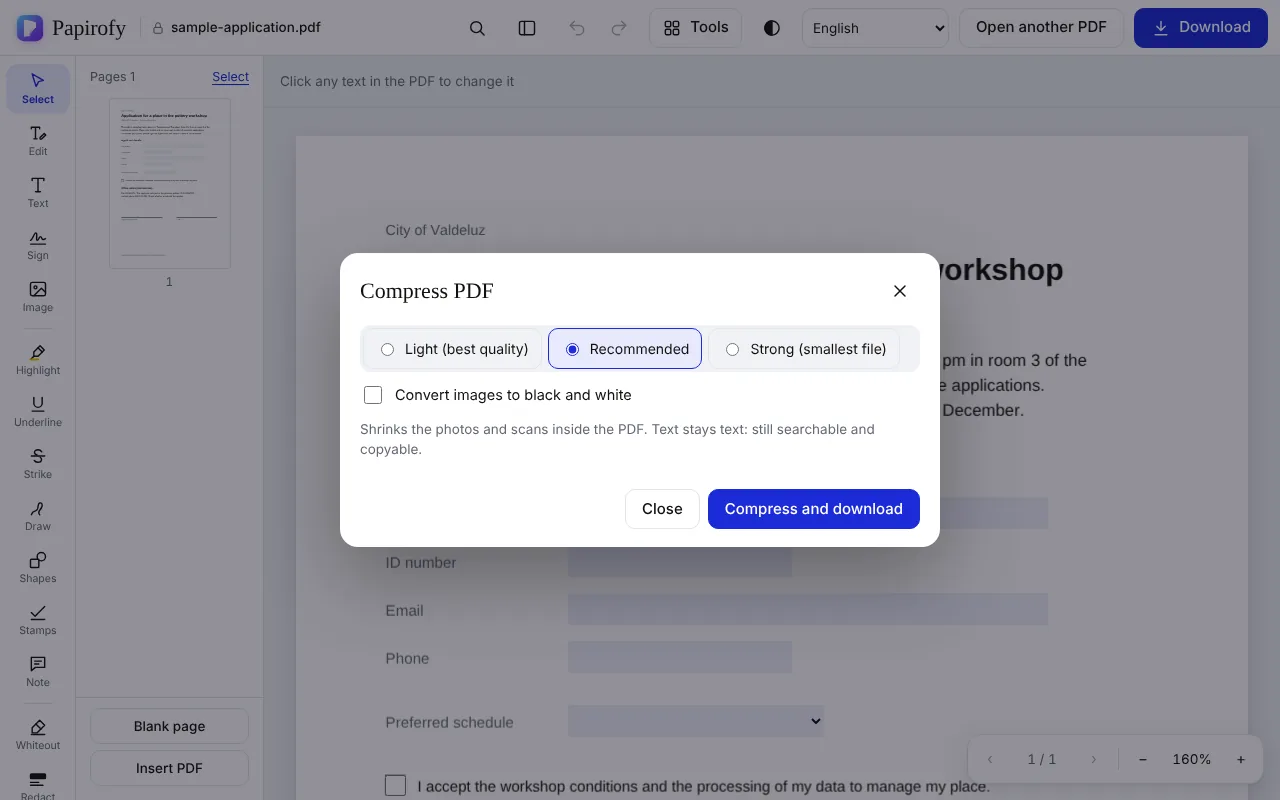
1. Compress the images
They take up the most space. In Compress choose Recommended or Strong; text stays sharp.
2. Convert images to black and white
For scanned documents, color is rarely needed and takes a lot of space.
3. Remove pages you don't need
With Organize pages, delete blank or duplicate pages.
4. Split the document
If it's still too big, use Split or extract and send it in parts.
All of this happens in your browser, without uploading the document to any server.